Features / Alerts
Alerts from the chart
An alert on a price or on a level, set where you are looking, delivered to Telegram, your phone or your server. Part of LIVE.
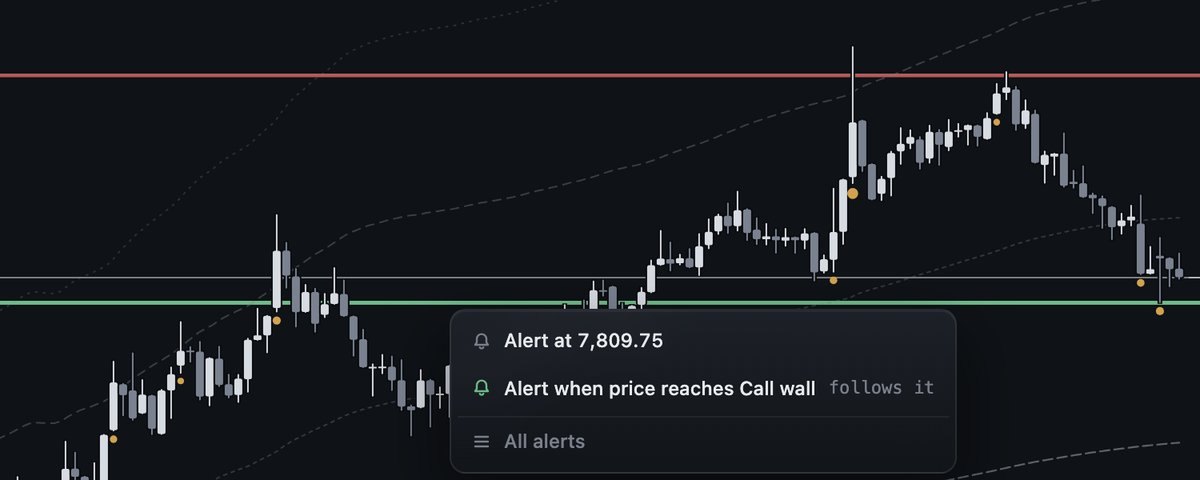
Set one with a right-click
Right-click any price on the chart (on a phone, hold your finger on it) and pick Alert at 7,809.75. Near a wall or the zero-gamma flip the menu offers a second line: Alert when price reaches Call wall. That one is a level line: it follows the call wall, the put wall or the flip wherever the book moves it during the session. A strike row on the ladder opens the same menu.
A line you can move
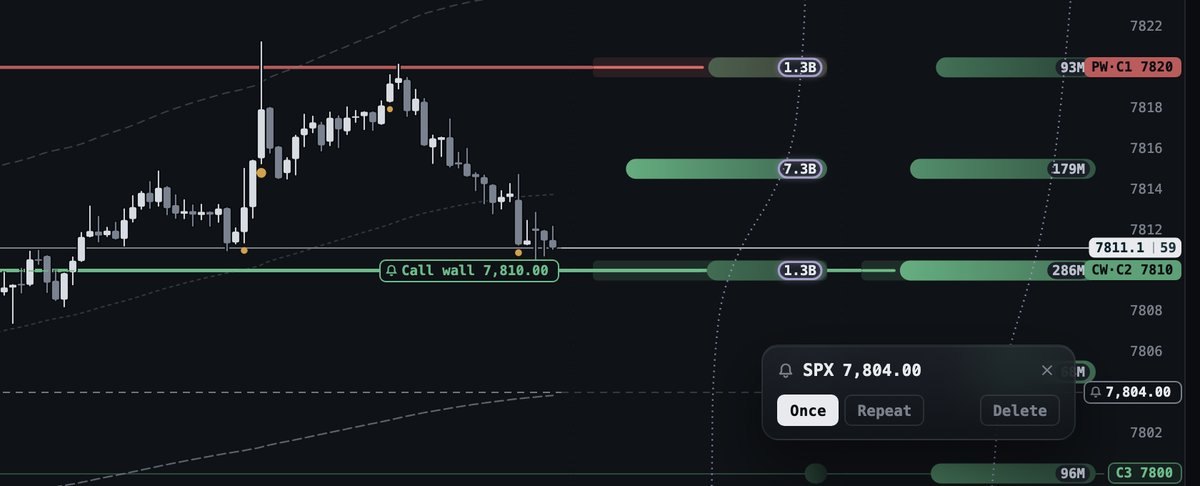
Each alert is a dashed line with a bell on the price scale. Drag the line to a new price. Tap the bell for Once (the line fires one time and goes away), Repeat (it fires again after price has moved away and come back) or Delete. A line fires on the first reading that crosses or touches it, with no waiting period, because you chose the price. A level line follows the volume book, the book the chart draws by default. Up to 25 lines per account, kept on your account, so they are on every device you sign in on.
Where it arrives
A fired line goes everywhere your level alerts go: a Telegram message from @FirmTapeBot, a notification on your phone, and a POST to your webhook. Each one carries the price, the time in New York, the flip and both walls of the book at that second, and which book it read. Every message is a measurement, never a trade call.

Notifications on your phone
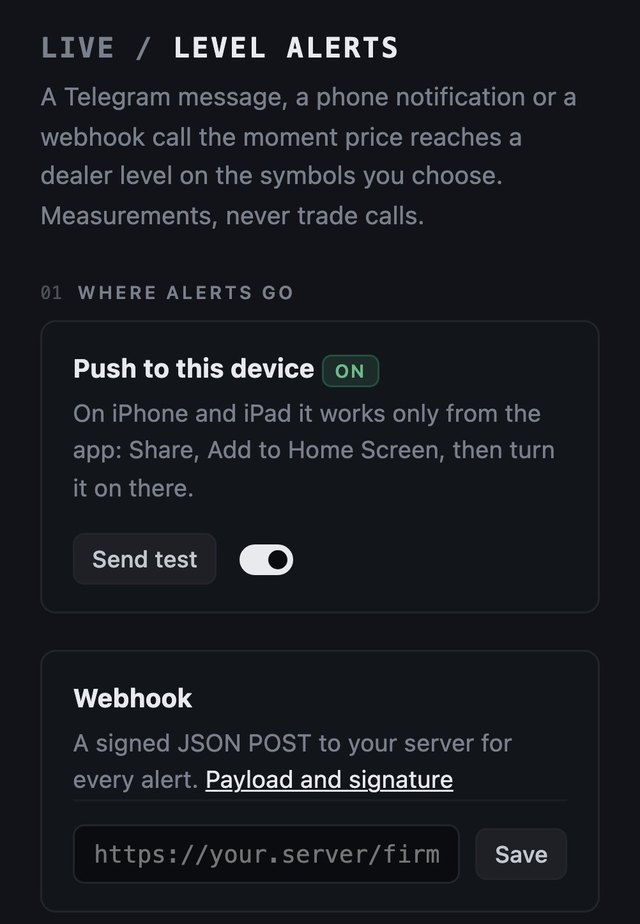
The terminal installs as a web app, and an installed app can show notifications. On iPhone or iPad open firmtape.com in Safari, tap Share, then Add to Home Screen, open FirmTape from the Home Screen and turn on Push to this device under Account, Level alerts. On Android, Chrome is enough: open the same page and turn it on. Send test checks the device at once.
A signed webhook
Paste one https:// address under Account, Level alerts, Webhook. Every alert is POSTed there as JSON, signed with a secret only you and FirmTape hold. An alert line adds its own block, alert, to the event:
POST https://your.server/firmtape
Content-Type: application/json
X-FirmTape-Event: price_alert
X-FirmTape-Event-Id: evt_1ce00bdb4fbaed84a7f4d622
X-FirmTape-Timestamp: 1760279465
X-FirmTape-Signature: sha256=<hex HMAC-SHA256 of "<timestamp>.<raw body>">

{"version": 1, "id": "evt_1ce00bdb4fbaed84a7f4d622", "type": "price_alert",
 "symbol": "SPX", "level": {"kind": "price", "value": 7812.5}, "price": 7812.75,
 "book": "volume", "ts": "2026-10-12T10:31:05-04:00", "day": "2026-10-12",
 "levels": {"flip": 7795.5, "call_wall": 7825, "put_wall": 7790},
 "text": "SPX crossed above 7,812.50, your price alert", "direction": "above",
 "alert": {"id": "al_3f9c2a71b0de", "kind": "price", "level": null, "price": 7812.5, "mode": "once"}}
The type is price_alert for a price line and level_line for a line that follows a level; the watchlist's events are flip_cross, wall_break, regime_change, wall_move, flip_move and level_near. The id is the same on every retry of one event, so drop one you have seen.
Verify every request. Recompute the signature over the timestamp header, a dot and the raw body, compare in constant time, and refuse a timestamp more than five minutes old:
// Node
const crypto = require("crypto");
function verify(rawBody, headers, secret) {
  const t = headers["x-firmtape-timestamp"], sig = headers["x-firmtape-signature"] || "";
  if (!t || Math.abs(Date.now() / 1000 - Number(t)) > 300) return false;
  const want = "sha256=" + crypto.createHmac("sha256", secret).update(t + "." + rawBody).digest("hex");
  return sig.length === want.length && crypto.timingSafeEqual(Buffer.from(sig), Buffer.from(want));
}

# Python
import hmac, hashlib, time
def verify(raw_body: bytes, headers, secret: str) -> bool:
    t = headers.get("X-FirmTape-Timestamp", "")
    if not t or abs(time.time() - int(t)) > 300: return False
    want = "sha256=" + hmac.new(secret.encode(), t.encode() + b"." + raw_body, hashlib.sha256).hexdigest()
    return hmac.compare_digest(want, headers.get("X-FirmTape-Signature", ""))
Answer with any 2xx within three seconds. No answer, a 429 or a 5xx is tried again after one and four seconds, three tries in all. Ten failed events in a row switch the webhook off until you save the address again. Every field is listed in the guide.
Level alerts on a watchlist
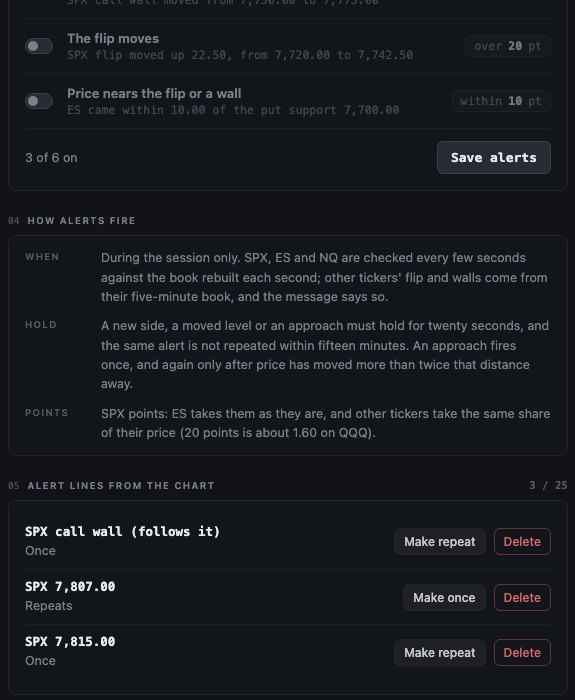
Beside the lines you draw, a watchlist of up to twenty symbols (SPX, ES, NQ or any ticker on the chart) watches the levels for you: price crossing the flip, breaking the call wall or the put wall, the book changing gamma regime, a wall or the flip moving, price coming near the flip or a wall. SPX, ES and NQ are checked every few seconds against the book rebuilt each second; other tickers read their five-minute book and the message says so. A new side has to hold for twenty seconds, and the same alert is not sent again within fifteen minutes. Your alert lines are listed on the same page, with Make once, Make repeat and Delete.