Features / Orders
ORDERS
Every large SPX order of the session, rebuilt from the tape as an order rather than a print, with the tools to keep your own view of it. Free on every finished session; live with the ORDERS plan.
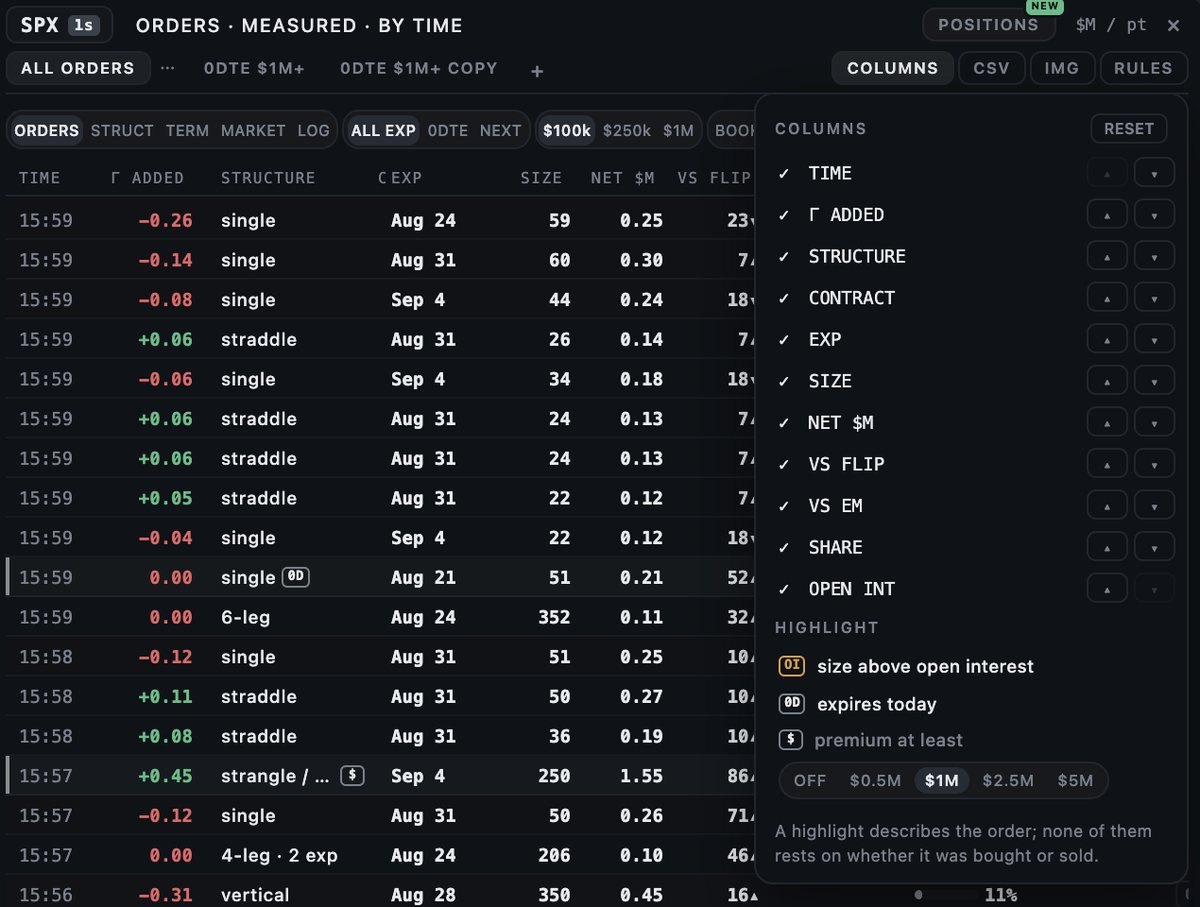
Saved tabs, columns and highlights
Set the filters you use (structure, expiry, size, time) and press + to keep them as a tab with its own name; a tab can be renamed, duplicated or deleted from its menu. COLUMNS chooses which columns show and in what order. HIGHLIGHT marks rows by what the order is: size above the contract's open interest, an expiry of today, or a premium of at least $0.5M, $1M, $2.5M or $5M. A highlight describes the order and never rests on its side.
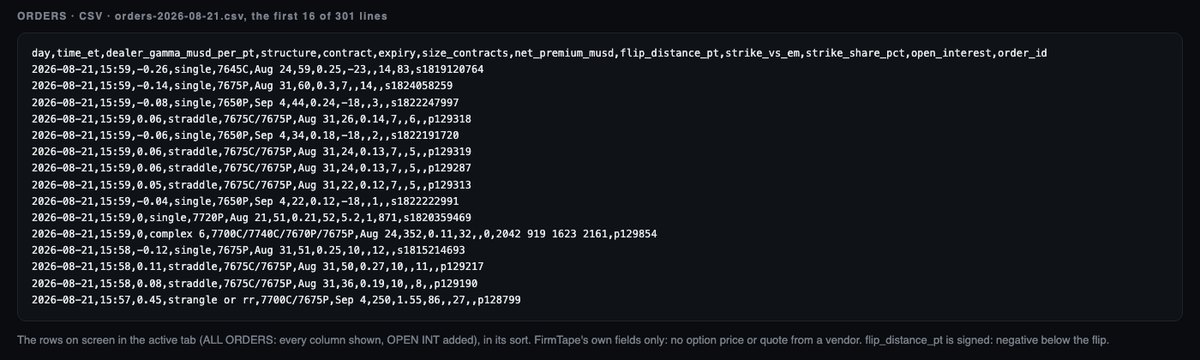
CSV and image
CSV saves the rows of the active tab, in its sort, with every column and the open interest. IMG saves the same view as a picture to share. The file holds FirmTape's own fields only: no option price or quote from a vendor.
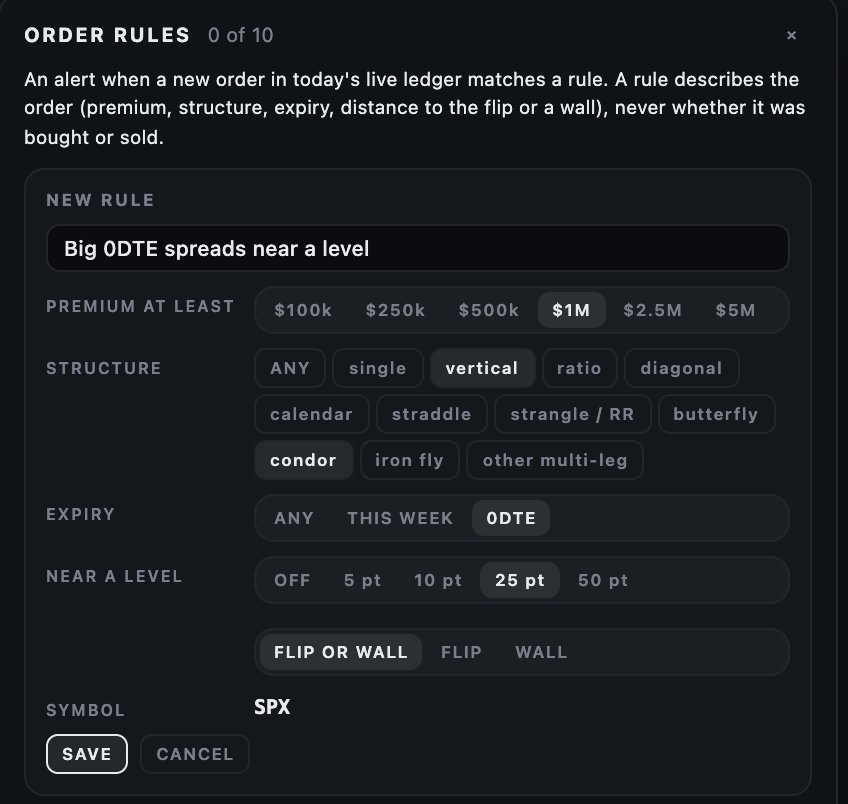
Order rules
Open RULES and describe the orders you want to hear about: a premium floor, the structure, the expiry, and how close to the flip or a wall. When a new order in today's live ledger matches, the alert reaches you the same way your level alerts do: Telegram, phone notification or webhook. Up to ten rules. A rule describes the order (premium, structure, expiry, distance to a level), never its side.
Contract boards
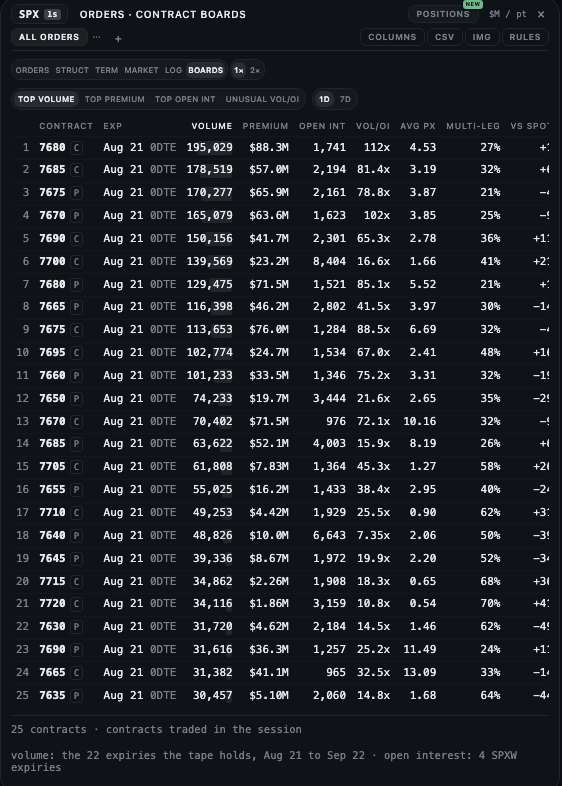
BOARDS ranks single contracts rather than orders: TOP VOLUME, TOP PREMIUM, TOP OPEN INT across the whole chain, and UNUSUAL VOL/OI, the day's volume against the morning open interest. 1D ranks the session; 7D sums the last seven sessions and divides by the open interest at the window's start. Each row shows the expiry, volume, premium, open interest, Vol/OI and the share that traded inside multi-leg orders. The day's tables are also published as pages: most active SPX options.
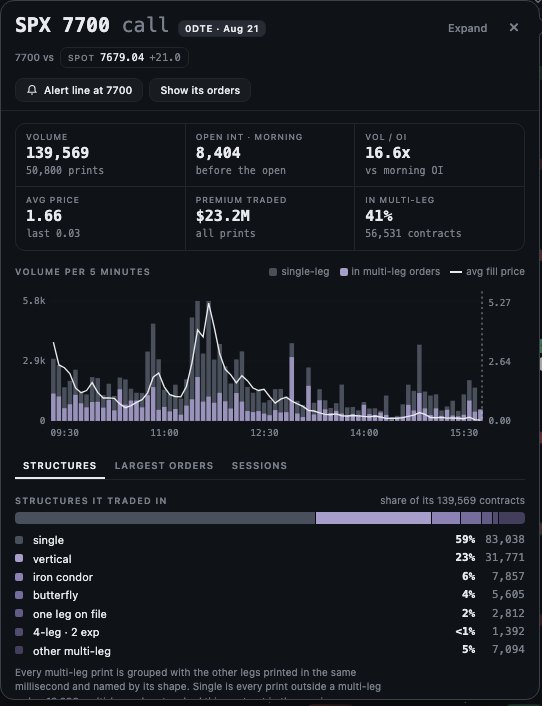
The contract card
Click a contract on a board, an order's leg or a ladder strike to open its card: the day's volume and prints, the morning open interest, Vol/OI, premium, the multi-leg share, the volume per five minutes, and three tabs. STRUCTURES shows how the contract traded, alone or as a leg of a vertical, condor or other shape; LARGEST ORDERS lists the biggest orders it was part of; SESSIONS follows its volume and open interest over the last sessions. From the card, Alert line sets an alert at the strike and Show its orders filters the ledger to it.