Features / REPLAY
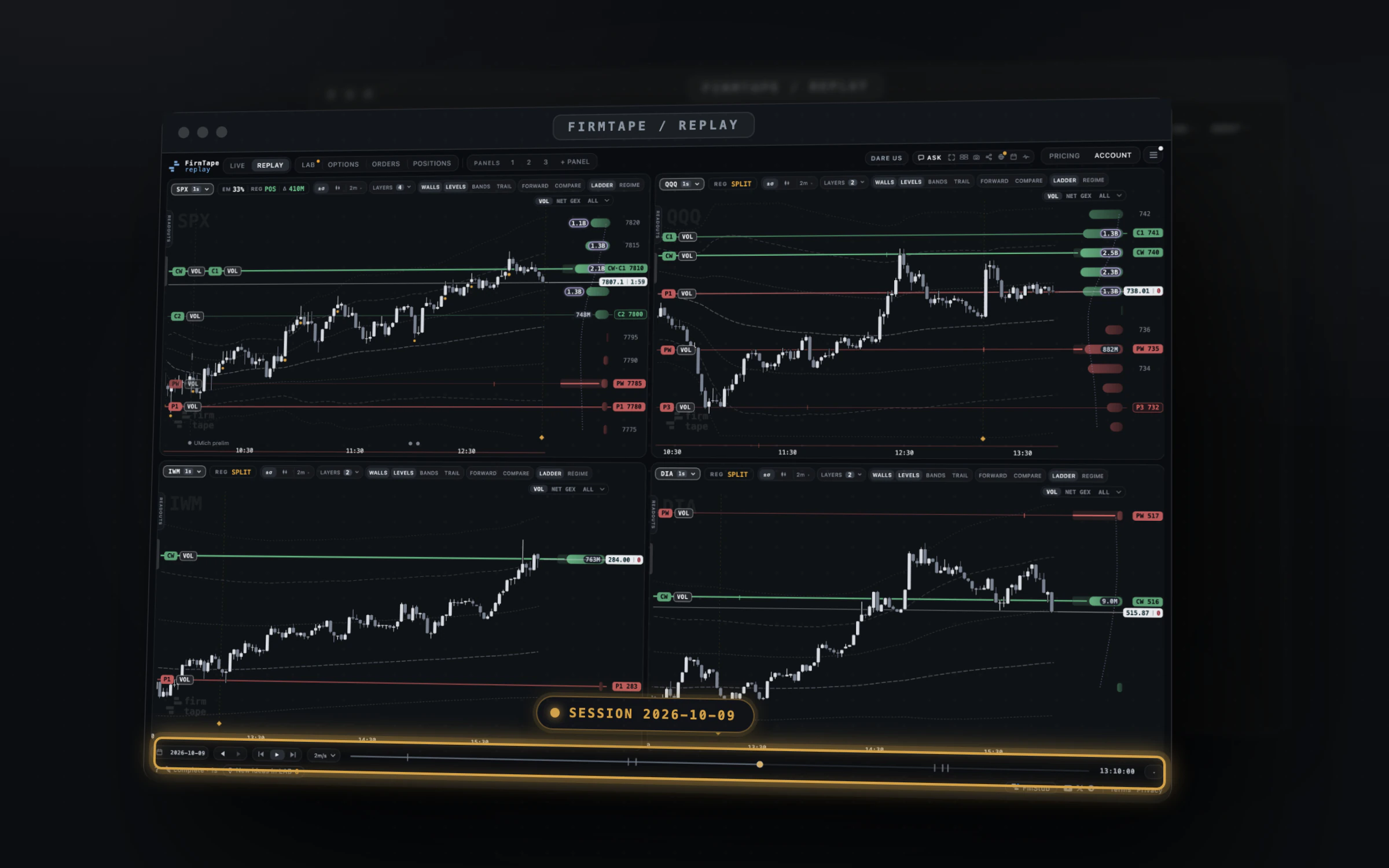
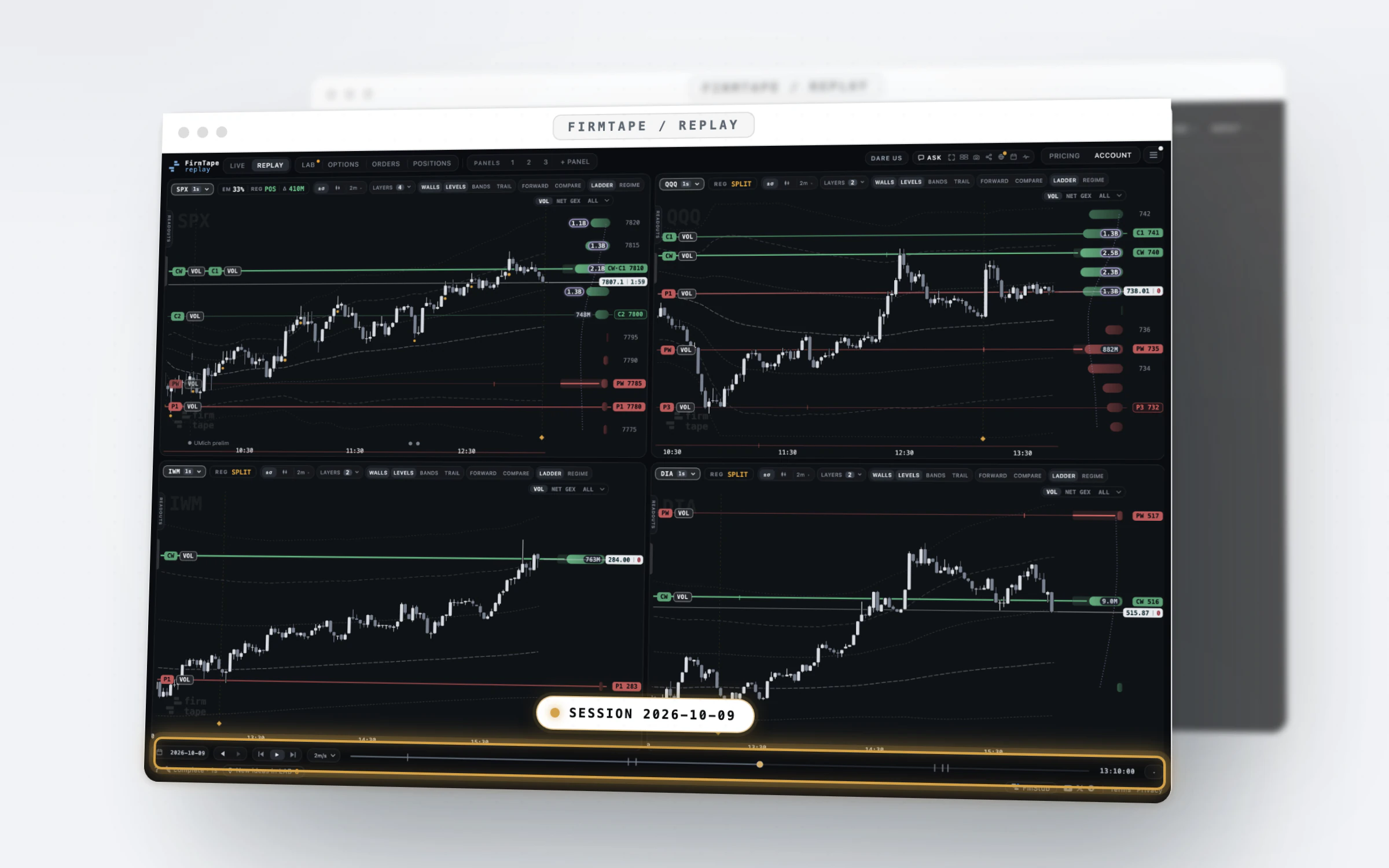
Open any finished SPX session and watch the dealer book form, minute by minute.
Every trading day since April 2022 opens in the same terminal LIVE uses: the walls, the flip, the levels of interest and the strike ladder as they stood at each minute. Around it, the free tools: the screener, the event and week pages, the calendar, today's levels fifteen minutes late, gamma for 123 tickers, and an MCP server for your AI assistant. No account.
Free, no account. Today's session as it trades is LIVE.
The problem
A level is easy to read after the fact and hard to trust before it.
- A chart of yesterday shows where price went, not where the dealer book stood at the minute you would have decided.
- Finding the days that look like today means scrolling through months of charts by hand.
- Checking a claim about a level means taking someone's screenshot on trust, without the minute or the book behind it.
With REPLAY
The whole archive, replayed at the minute it happened, free.
REPLAY opens each finished session in the terminal with the book as it stood at every minute, never the close drawn backwards. Find a day by date, by event or by what the book did, play it back at up to an hour a second, share the exact minute, and let your assistant read the same sessions through the MCP server. It is the free way in to everything else FirmTape measures.
How it works
Step by step
-
01 / 04
Pick a day
Click the date on the playback bar. Days with a session are in bold and dots mark scheduled events; TODAY returns to the newest session.
In the guide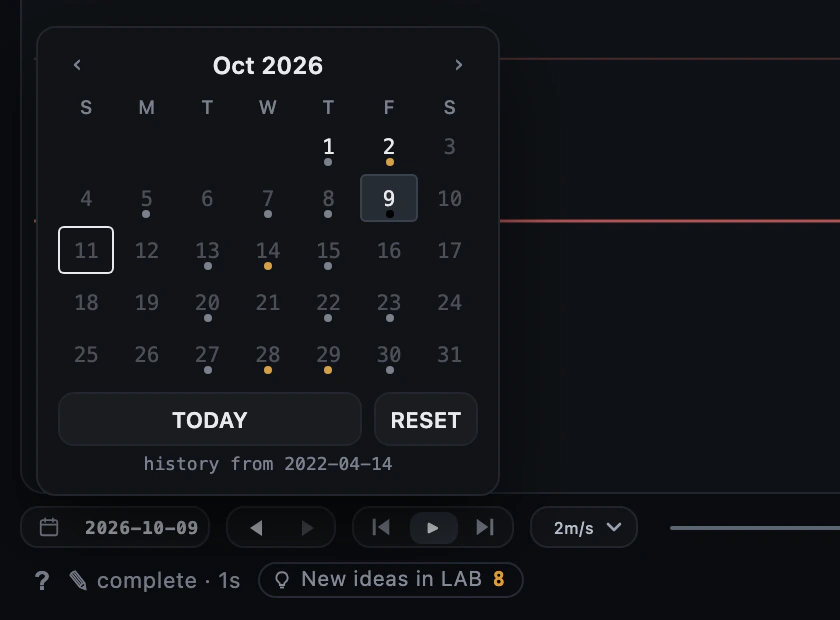
-
02 / 04
Play it or step it
Press play and pick a speed up to an hour a second, drag the scrubber, or step with the arrow keys. The outer buttons jump to the open and the close.
In the guide
-
03 / 04
Find days by what the book did
On the session screener, filter the archive by regime at the open and close, flip crossings, the size of the move, the gamma percentile, implied vol, event and weekday, then open any match.
In the guide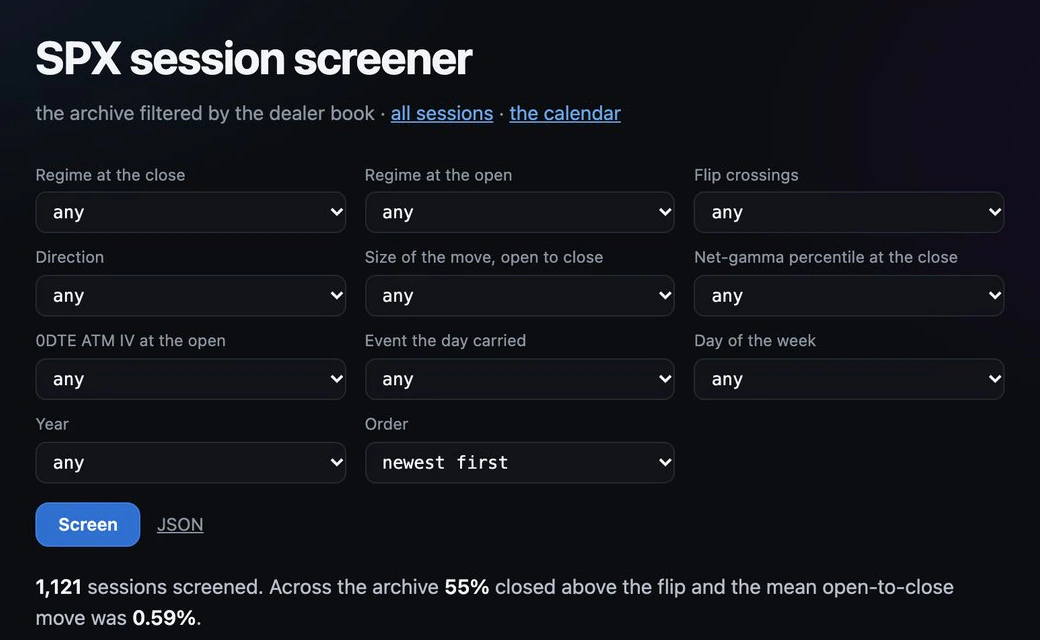
-
04 / 04
Share the exact minute
The share icon copies a link with the day, the symbol, the book, the layers that are on and the minute. Whoever opens it lands on the same picture.
In the guide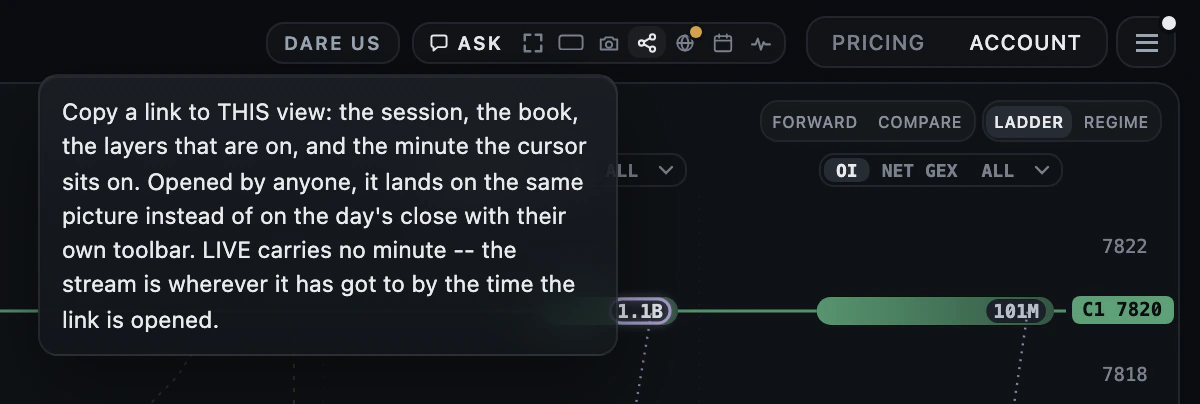
Capabilities
What you can do with REPLAY
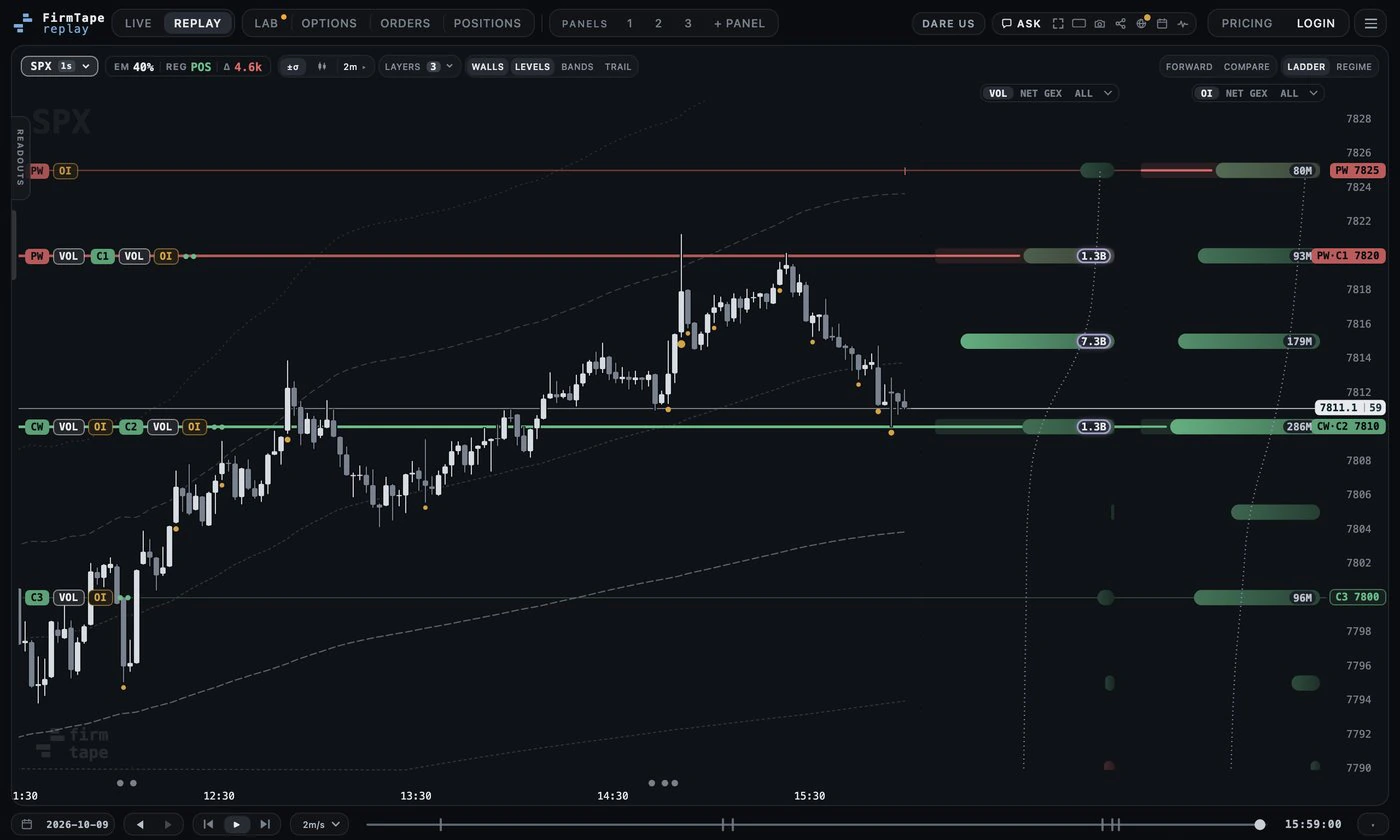
The terminal, free on every finished day
The front page is the terminal itself, opened on the newest finished session with no account.
In the guide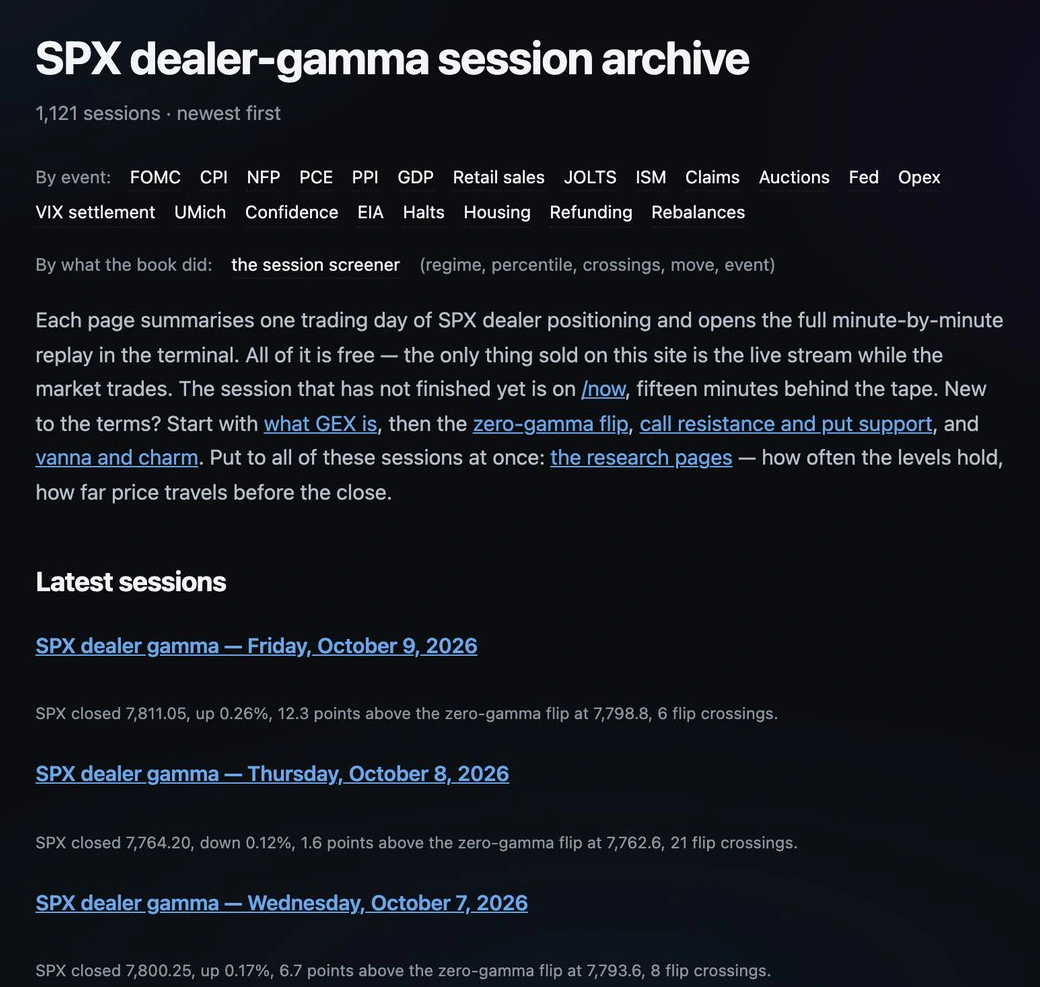
The session archive
Every finished session, newest first, each with its day levels in one line, read at 15:45 ET and a page of its own.
Read more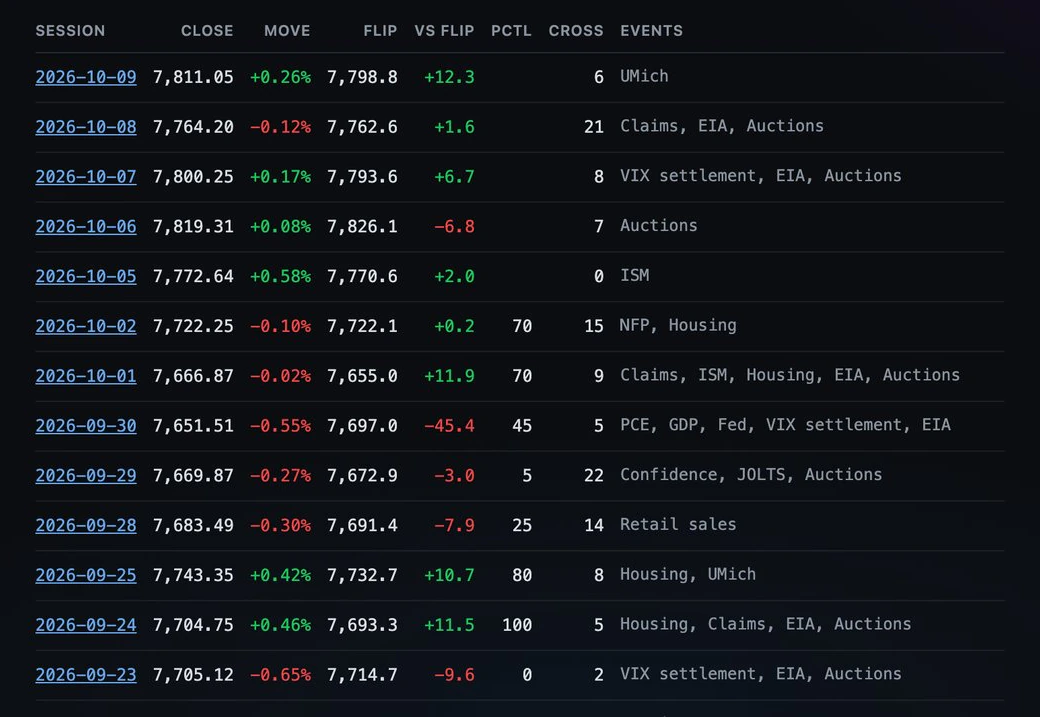
Sessions by what the book did
Filter by regime, flip crossings, move size and gamma percentile; every result opens its replay.
In the guide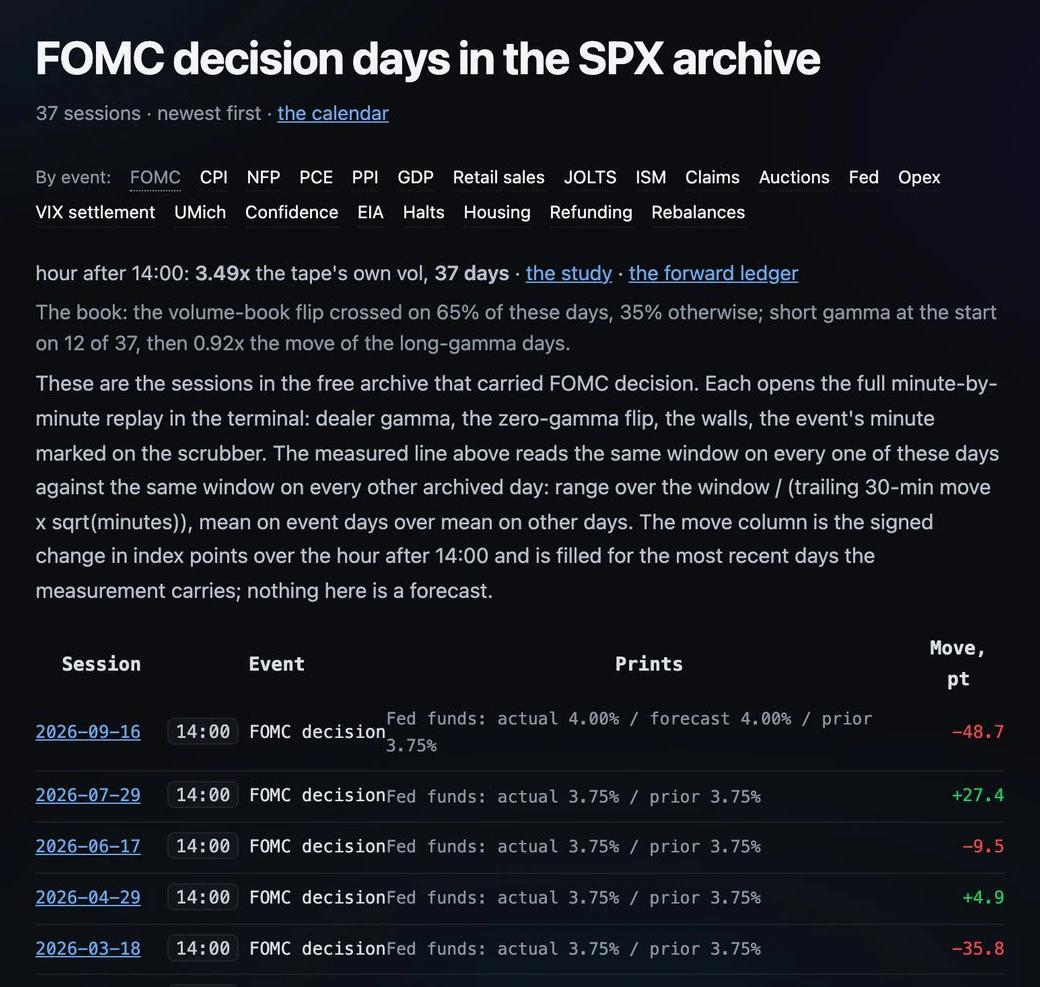
Sessions by event
One page per event kind, with the measured effect of the release and every day that carried it.
In the guide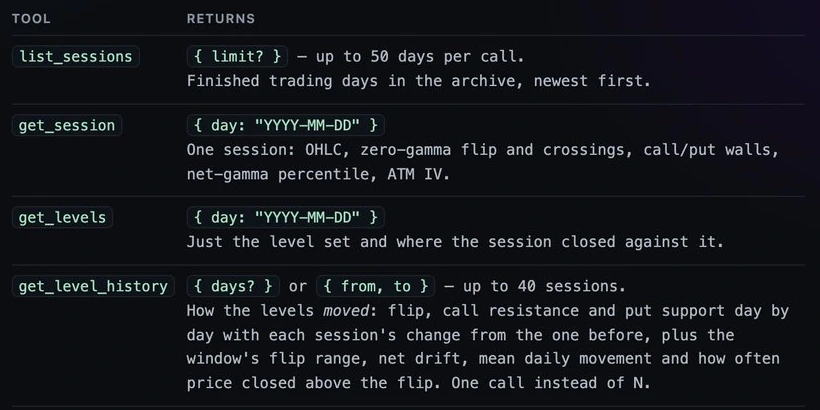
The archive in your AI assistant
Add one address and an assistant reads every finished session, the levels' history and a ticker's book.
Read more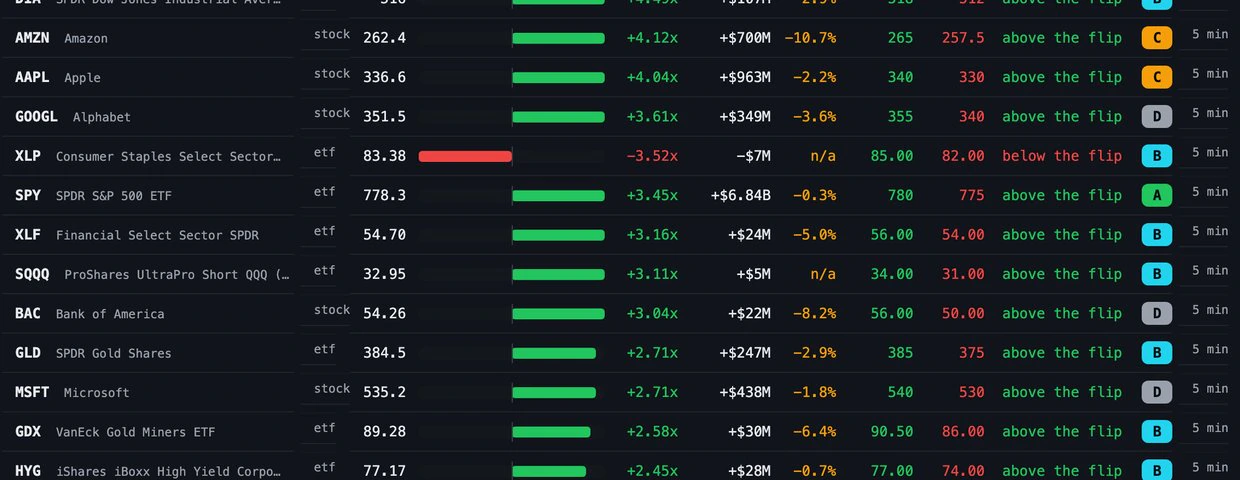
About a hundred tickers
The flip, the walls and net gamma for QQQ, SPY, sector ETFs and the most traded stocks, on one scale.
In the guideEvery feature
Everything in REPLAY
19 features · 4 groups. Each one is written up in the REPLAY guide.
Find a session 7
- The terminal, free on every finished dayOpen the newest finished SPX session with no account by going to firmtape.com.
- The session archive and session pagesFind any finished session and its day levels (read at 15:45 ET) by browsing /sessions or opening /session/<date>.
- The session calendarJump to any finished day by clicking the date on the playback bar.
- Sessions by eventPrepare for a release by opening every archived day that carried it, at /sessions/<event>.
- The week pageReview a week of sessions in one table by opening /week.
- The session screenerFind the days where the book did what you are looking for by setting the screener's filters.
- The tape's receiptCheck that a session is complete before you rely on it by opening /status.
Play it back 1
- The playback barMove through a session at your own pace by playing, scrubbing or stepping on the playback bar.
Keep and share 2
- Daily replay clipsWatch a finished session instead of scrubbing it, on the FirmTape video channel.
Free around the archive 9
- Most active SPX optionsSee which SPX contracts carried each finished session by opening its most active options page.
- Expiration calendarKnow which expiries are ahead and how much of each symbol's book just expired by opening the expiration calendar.
- Now: today's levels, delayedRead today's SPX flip and walls without an account on /now, at least fifteen minutes behind the tape.
- Market calendar and pulseSee the week's releases and the minutes that moved the tape by opening the calendar and pulse windows.
- Learn the termsLearn what every reading means, one concept a page, on Learn and in these guides.
- MCP serverLet an AI assistant read every finished session by adding one MCP address.
- Pages for AI assistantsHelp an assistant describe FirmTape correctly by pointing it at the pages written for it.
- Gamma by symbolFind the heaviest dealer positioning across 123 tickers by sorting the symbols scanner.
- ES, NQ and RTY levelsRead the SPX, NDX and RUT levels at the future's price on the free ES, NQ and RTY pages.
What it gives you
Why it is worth a place on your screen
The minute, not the close
Every level is drawn as it stood at the cursor, so a replay shows what was on screen at the time and not what the day became.
Days found in seconds
The screener, the event pages, the week and the calendar narrow more than a thousand sessions to the ones that match before you open one.
Free beyond the chart
Today's levels fifteen minutes late, the most active contracts and the expiries ahead, 123 tickers, and an MCP server, all without an account.
Free, no account. Today's session as it trades is LIVE. Plans and prices.
Works with
REPLAY with the rest of FirmTape
LIVE
The same chart, the same controls and the same books as the live session; REPLAY is where you learn them.
LAB
When a pattern looks real across replays, LAB tests it on the whole archive with an out-of-sample verdict.
ORDERS
Every finished session's order ledger and contract boards are free in the same replay.
FAQ
Questions about REPLAY
- Is REPLAY really free?
- Yes. Every finished session is free to replay, with no account, and so are the screener, the calendar, /now, the symbol pages and the MCP server's free tools. Only today's session as it trades is LIVE.
- How far back does the archive go?
- Every trading day since April 2022, and one more each evening after the close.
- Does a replay show the levels as they were at the time?
- Yes. The walls, the flip and the levels of interest are drawn as they stood at the cursor's minute, and session levels as they stood at that minute too.
- Which symbols can I replay?
- SPX with its three books on every session; ES, NQ and RTY as the index books moved by the basis; and 123 tickers from the day they were added in September 2026, from their five-minute books.
- Can my AI assistant read the archive?
- Yes. Add the MCP server's address to the assistant; its free tools read every finished session, the levels' history and a ticker's latest book, with no key.
- Does REPLAY show where price went next?
- It shows what happened, minute by minute. It does not say what a level means for the next move, and nothing on it is a forecast or a trade call.
What it does not do
- It does not show today's session undelayed: that is LIVE, and /now carries the same levels at least fifteen minutes behind.
- It does not send alerts: alert lines only mark where they would have fired.
- It does not hold the raw tape: the archive is the measured books and their levels, minute by minute.
Open any finished SPX session and watch the dealer book form, minute by minute.
Every finished session, minute by minute, plus today's levels delayed and the free tools, no account